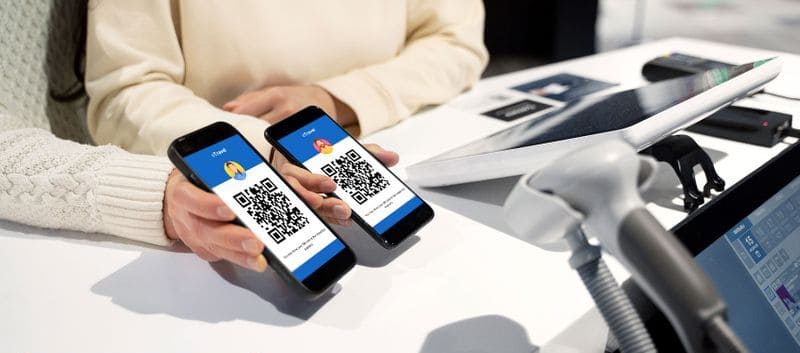
All international travelers arriving in the Philippines must complete the eTravel registration process before travel. It includes your personal details, passport information, travel itinerary, and the customs declaration, now integrated into the same system.
It’s important to enter your details accurately and complete the registration within 72 hours before arrival. If the information is incorrect, or if your QR code is missing or not valid for your trip, you could face delays at check-in, problems boarding, or extra checks on arrival.
In this guide, we explain the most common eTravel mistakes, how to avoid them, and what to do if you need to correct your details.
Common Mistakes Made by eTravel Applicants
It’s easy to make mistakes when completing the form too quickly. To avoid problems with your QR code, check these common errors before you submit your eTravel registration:
Entering incorrect travel or personal information
The eTravel form asks for personal details, passport data, and your travel itinerary. Enter your details exactly as they appear on your passport, including your full name, middle name where applicable, passport number, and passport dates.
You should also check your flight details carefully before submitting. Many travelers make mistakes with the flight number format, choose the wrong arrival airport or port, or enter the wrong arrival date because they do not use the local date and time in the Philippines.
Typos and misspellings
Before you submit, double check that there are no spelling mistakes in your name, passport number, or other key details. Even a small typo can create problems if the information on your registration does not match your passport or booking.
Be especially careful with names entered by autofill, as this can sometimes insert incorrect or incomplete information.
Changes to travel plans at the last minute
Your eTravel details should match the trip you actually take. If your flight, arrival date, airline, or point of arrival changes, review your registration as soon as possible to make sure the QR code still matches your travel details.
This is especially important if you have connecting flights, as travelers often enter the wrong flight information or the wrong final arrival details for the Philippines.
Can I Edit My Philippines eTravel?
The official Philippine government site allows you to edit some information in your eTravel form after it has been submitted. You can make certain amendments as long as you have not yet been processed, verified, and tagged as arrived by the border authorities.
You can only do this in the permitted 72 hour window before you arrive. It’s not possible to change your eTravel after you arrive in the Philippines.
If you’ve applied on our site, contact our team to edit your eTravel details. We’ll make any amendments necessary — there’s no need to fill out a new form.
What details can usually be edited?
You can update some of your submitted details before departure, especially travel or contact information. This could include your arrival date, address, and other non-identity details.
If your flight details change, review your registration as soon as possible so the information provided matches the trip you’ll actually take.
What details should be checked most carefully before submission?
Your key identity details should be entered very carefully before you submit, especially your full name and passport number.
If one of these core details is wrong and the government system does not allow you to correct it, the safest option is usually to submit a new registration within the valid time window and use one QR code consistently for that trip.
How to retrieve your QR code
If you cannot find your QR code after submission through the government site, you can retrieve it by using your reference number and date of birth.
If you were expecting the QR by email, also check your spam, junk, or filtered folders. Once you have the QR code, it’s a good idea to save a screenshot or print a copy so it’s ready at check-in, boarding, and arrival.
What Happens if My eTravel Is Incorrect?
eTravel registration is an essential requirement for entry to the Philippines. Your QR code may be checked before boarding as well as on arrival.
If your details are wrong, incomplete, or do not match your passport and trip, this can cause delays during check-in, boarding, or border processing.
Usually, you’ll need to complete or correct your eTravel registration before you can enter the country.
Incorrect or incomplete details
If the information submitted in your registration is incomplete or incorrect, your QR code may not work as expected for your trip. You may also be selected for additional checks instead of faster processing on arrival.
For that reason, it’s important to review your passport details, arrival date, and flight information carefully before submitting.
Problems at check-in or boarding
Some airlines may ask to see your eTravel QR code at check-in or before boarding your flight to the Philippines. If you cannot show the QR code, or if the details do not match your trip, the airline may ask you to correct the issue before allowing you to board.
Even if an airline does not always check in the same way, you should still have the QR code ready before going to the airport.
If you created more than one registration
If you submitted more than one eTravel registration for the same trip, use one QR code consistently during your journey. Presenting different QR codes at different stages can cause delays or confusion during inspection.
If you had to create a new registration to correct an important mistake, keep the correct QR code ready and use that same one at check-in, boarding, and arrival. You can delete any saved copies of the incorrect QR code.
Tips for Completing the Philippines eTravel Form Correctly
Here are some useful tips to help you complete the eTravel accurately and avoid common problems before travel:
- Enter your flight number carefully.
- Make sure your registration matches your passport details exactly.
- Use the correct arrival date in Philippine local time.
- Select the right airline and arrival point .
- Don’t rely on **autofill** when filling out your details.
- Use a clear passport image if required.
- Save your QR code after submission.
The eTravel form only takes a few minutes to fill out, but it’s important not to rush the application process so that it’s completed correctly.
Get Help Avoiding Common eTravel Mistakes
If you want extra support when completing your Philippines eTravel registration, PhilippineseTravel.com is here to help. We offer an assisted service designed to help you submit your details more accurately and avoid common errors.
Our platform is designed to be quick and simple to use, especially for travelers who are unsure about trip details, passport information, or how to correct mistakes before travel.
Expert revision pre-submission
Your details are checked before submission by our team to help spot common errors such as incorrect passport information, flight details, or arrival dates.
This reduces the risk of problems caused by avoidable mistakes in the registration.
Dedicated customer support
If you need help with your registration, our team is available to assist with your eTravel from start to finish. We speak 15+ languages.
This can be useful if you are unsure how to complete a field or what to do after making a mistake.
100% refund if your eTravel declaration is rejected
We’re confident your application will be successful, but if it’s not, your fee is guaranteed. You can request a full refund if your eTravel rejection is not accepted.
This helps you apply with peace of mind.